The same markup, before and after
Published · Tagged lunarcss, design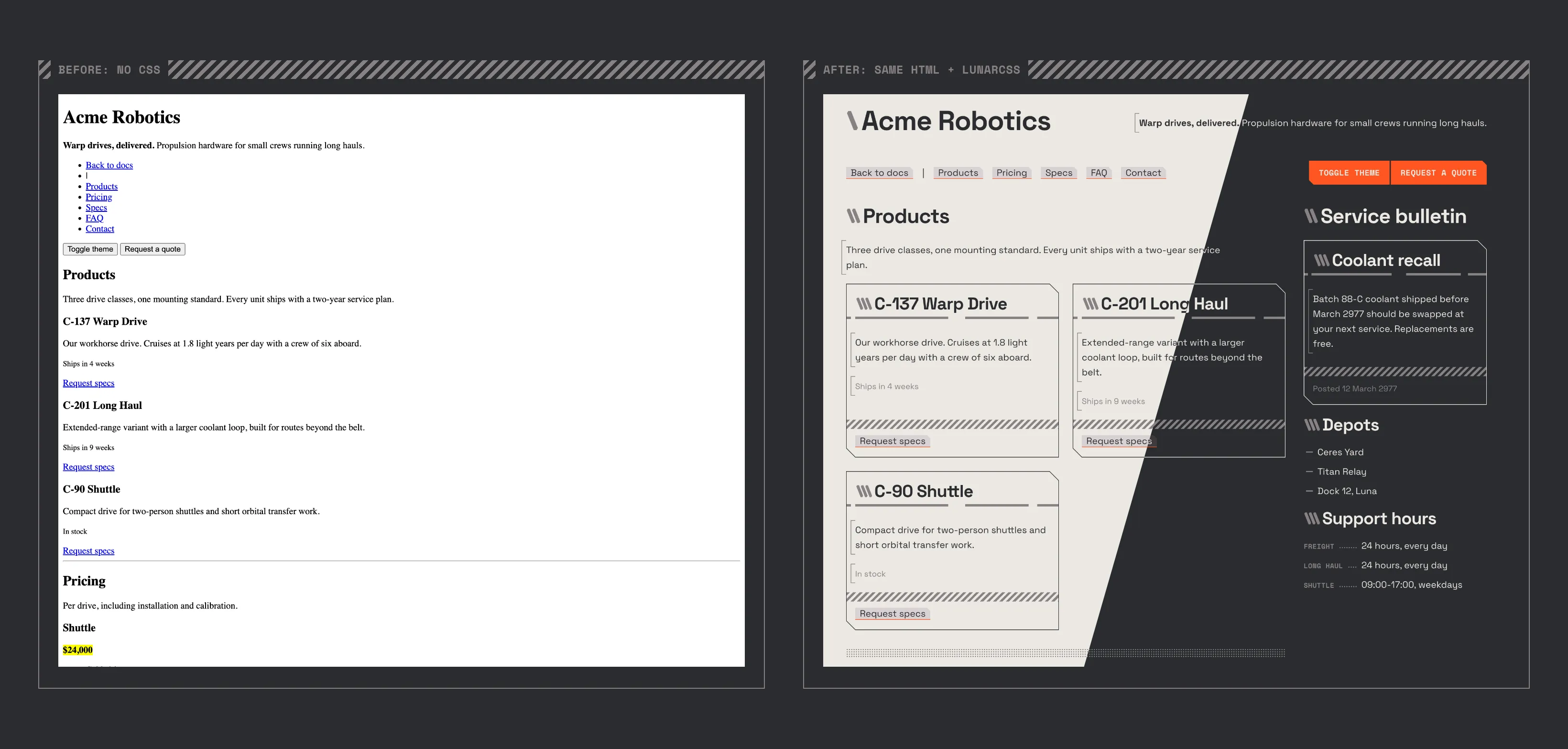
The image above is the quickest way to explain a classless theme. Both halves are the same HTML file. On the left it has no stylesheet at all, so the browser’s defaults show through. On the right it links LunarCSS, and nothing else has changed: no classes were added and no markup was moved.
The page is Acme Robotics, a made-up company used as the theme’s demo. It’s a realistic landing page, with a nav, product cards, pricing, a spec table and a contact form, which makes it a good test. If the theme can’t make that page look right from plain HTML, the theme is missing something.
How it’s made
The image isn’t a mock-up. A script in the LunarCSS repo builds the demo page, loads it in headless Chrome three times, and takes a screenshot each time:
- with its stylesheet links removed,
- with LunarCSS in the light theme,
- with LunarCSS in the dark theme.
It then frames the shots in the theme’s own fieldset style, with the unstyled page on the left and the two themed ones joined along a diagonal on the right. Because it’s generated, the image stays accurate: after any change to the theme’s look, running the script again gives a new one.